Three Ways to Draft

Start from Whatever You Have

Whether it's a prior deal, a term sheet, or a combination of sources - ContractKen builds a review-ready first draft.

Upload Your Best Prior Contract

Start with a precedent from a similar deal. ContractKen extracts the structure, clause language, and commercial terms - then generates a fresh draft aligned with your current playbook standards.

If the precedent is stale, ContractKen identifies outdated clauses and replaces them with current language from your clause library.

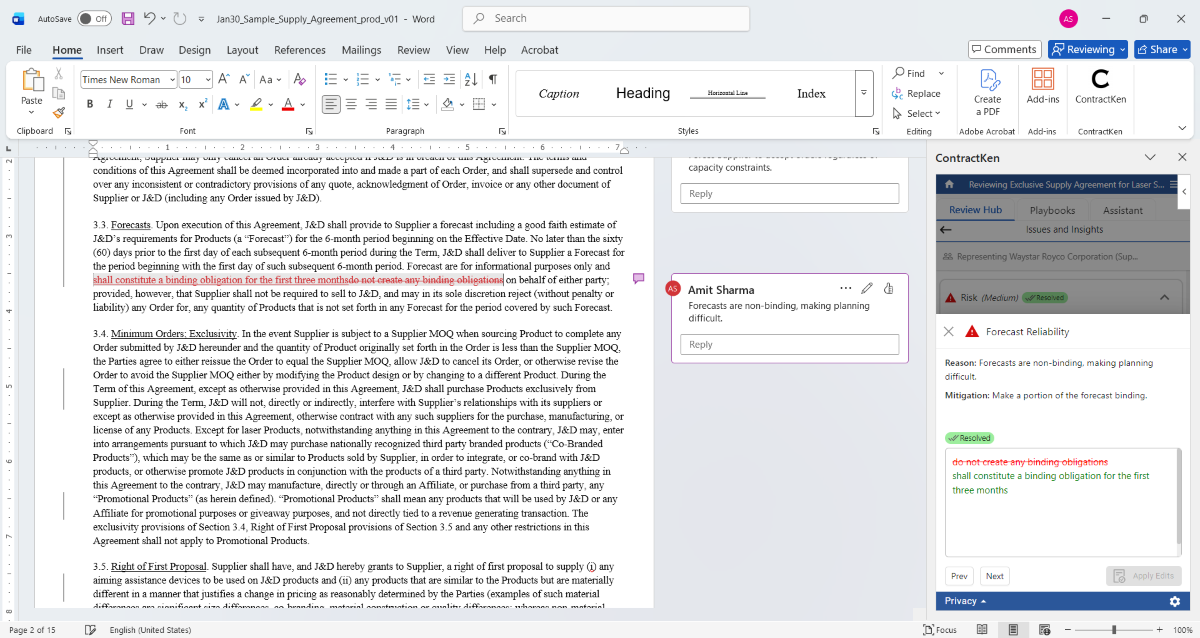
Every clause is traceable. You can see which parts came from your precedent, which from the clause library, and which were flagged for playbook deviations.
Upload precedent to draft contract

Convert a Term Sheet into a Full Agreement

Upload a 1-page term sheet or LOI. ContractKen maps each commercial point to the appropriate legal clauses - expanding 8 bullet points into a 30-page agreement with proper legal language from your clause library.

The AI goes further - it infers what's needed based on deal type, jurisdiction, and your playbook requirements.

A single line like "Standard IP provisions" expands into 4-5 interconnected clauses: IP ownership, license grants, background IP, improvements, and work-for-hire language - all pulled from your preferred positions.
Convert term sheet to full contract

Combine Multiple Sources into One Draft

Real deals involve multiple documents. Upload a precedent, a counterparty's markup from a prior deal, a term sheet, and your playbook - ContractKen reconciles conflicts and produces a unified first draft.

When sources conflict, ContractKen picks the strongest position per your playbook and shows you an audit trail of which source each clause came from.

Sources for each clause are tracked: "Section 4.2 - from your 2024 Acme precedent. Section 7.1 - from Clause Library (Preferred Position). Section 9 - new, added per playbook requirement."
Multi-source contract synthesis
The Problem Nobody Talks About

Your Go-To Precedent Is Probably Outdated

Every firm has a "go-to" contract they keep reusing. But the legal landscape has changed. ContractKen catches the gaps.

Your SaaS Agreement - last updated 2021
2022
5 new US state privacy laws enacted. Your precedent's data protection clause references only CCPA. Missing CPRA, VCDPA, CPA, CTDPA, and UCPA compliance language.
2023
AI governance clauses became standard. Your precedent has no provisions for AI usage, model training restrictions, or automated decision-making transparency - now expected in enterprise SaaS agreements.
2024
Cyber incident notification standards tightened. Your 30-day breach notification window is now misaligned with SEC's 4-day requirement and multiple state laws requiring 72-hour notification.
2025
Your playbook was updated 3 times. New preferred positions for limitation of liability, new IP carve-outs, updated force majeure language - none reflected in this precedent.
ContractKen modernizes your precedent as it drafts - inserting missing clauses, updating stale language, aligning with your current playbook.
Privacy By Architecture

Your Precedents Contain Your Most Sensitive Strategies

Your precedent contracts encode years of negotiation strategy - preferred positions, commercial terms, deal structures. The Moderation Layer ensures this institutional knowledge is protected when AI processes your documents.

Your institutional knowledge stays institutional.

Learn How the Moderation Layer Works →
Your Precedent"Acme Corp's preferred IP assignment includes..."
Moderation Layer"[PARTY_A]'s preferred IP assignment includes..."
AI Drafting EngineStructure extraction, clause generation, playbook alignment
Generated DraftFull draft with original names restored. Ready in Word.
Context Switching Kills Productivity

One Tool, Not Nine Steps Across Three Systems

See what contract drafting looks like with and without ContractKen.

Without ContractKen
  1. Open CLM platform, search for precedent
  2. Download precedent to local drive
  3. Open in Word, manually edit party names and terms
  4. Search email/folders for relevant clauses from old deals
  5. Copy-paste clauses, reconcile formatting
  6. Open playbook PDF, cross-reference each section
  7. Run through compliance checklist manually
  8. Ask senior partner to review before sending
  9. Save back to CLM, update metadata
4-6 hours3+ tools
With ContractKen
  1. Open Word, select precedent and/or term sheet
  2. ContractKen generates draft with your language
  3. Review compliance scorecard, fix flagged items
  4. Send to counterparty
15-30 minutes1 tool (Word)
Context Switching Kills Productivity

One Tool, Not Nine Steps Across Three Systems

See what contract drafting looks like with and without ContractKen.

Without ContractKen
  1. Open CLM platform, search for precedent
  2. Download precedent to local drive
  3. Open in Word, manually edit party names and terms
  4. Search email/folders for relevant clauses from old deals
  5. Copy-paste clauses, reconcile formatting
  6. Open playbook PDF, cross-reference each section
  7. Run through compliance checklist manually
  8. Ask senior partner to review before sending
  9. Save back to CLM, update metadata
4-6 hours3+ tools
With ContractKen
  1. Open Word, select precedent and/or term sheet
  2. ContractKen generates draft with your language
  3. Review compliance scorecard, fix flagged items
  4. Send to counterparty
15-30 minutes1 tool (Word)
How ContractKen Compares

Not All Drafting Tools Are the Same

Here's how ContractKen compares to manual drafting, generic AI, and traditional CLM platforms.

Draft from ScratchGeneric AI (ChatGPT / Claude)Template LibrariesCLM PlatformsContractKen
Uses your languageYes (slow)× Generic× GenericPartial✓ From precedents
Time to first draft4-6 hours~30 min + editing~1 hr + customization~1-2 hours15-30 min ✓
Term sheet conversionManualUnreliable×Some✓ Automated
Playbook complianceMemory××Manual check✓ Auto-checked
Works in Word×Varies× Own portal✓ Native
Confidential text protected× Sent to cloudVaries✓ Moderation Layer
Clause provenanceUnknown×××✓ Source tracked

Frequently Asked Questions

You can draft from precedent contracts, term sheets, letters of intent, memoranda of understanding, or any reference document. ContractKen extracts the relevant terms and structure to generate your first draft.
Your firm's language. ContractKen generates drafts from your uploaded precedents and clause library, ensuring the output reflects your organization's preferred positions and negotiation style - not generic boilerplate.
Yes. Upload a term sheet or LOI and ContractKen will generate a complete contract draft, mapping each commercial term to the appropriate legal clauses using language from your precedents and clause library.
Every draft includes an automatic playbook compliance report. ContractKen checks the generated output against your standards and flags deviations before you send. You can also run a full Playbook-Driven Review for additional scrutiny.
Yes. When drafting from an older precedent, ContractKen identifies clauses that have fallen behind your current playbook standards, clause types that have become standard but are missing, and language that needs updating - and incorporates these improvements into the generated draft.
Yes. You can upload multiple precedent documents, and ContractKen will synthesize the best elements from each into a cohesive draft while maintaining consistency. When sources conflict, your playbook determines which position wins.
ContractKen's Moderation Layer masks confidential information - party names, deal values, proprietary terms - before any text is processed by AI models. Your precedent content never leaves your environment unprotected.
Yes. Precedents uploaded to your organization's ContractKen workspace are available to all authorized team members, ensuring consistent drafting across the firm. No more "I have a better version on my laptop."

ContractKen AI Contract Drafting is a Microsoft Word add-in that enables legal teams to generate complete contract first drafts from their own precedents, term sheets, and letters of intent. It combines organizational knowledge, including preferred clause language, negotiation positions, and precedent documents, with AI to produce drafts that reflect the firm's standards. The Moderation Layer masks confidential information before processing, and every draft includes an automatic playbook compliance check.